
Automating Vocal Video with Zapier
Set up an automation once, and Zapier runs it every time a response comes in or a video is published. It connects Vocal Video to 6,000+ apps without code, and our integration directory has 100+ ready-made templates for the most popular ones.
In this article:
- What can I automate with Zapier?
- How Zapier works with Vocal Video
- Set up an integration
- Collector integrations
- Tutorials: Slack and Google Drive
- Managing your integrations
- What does it cost?
What can I automate with Zapier?
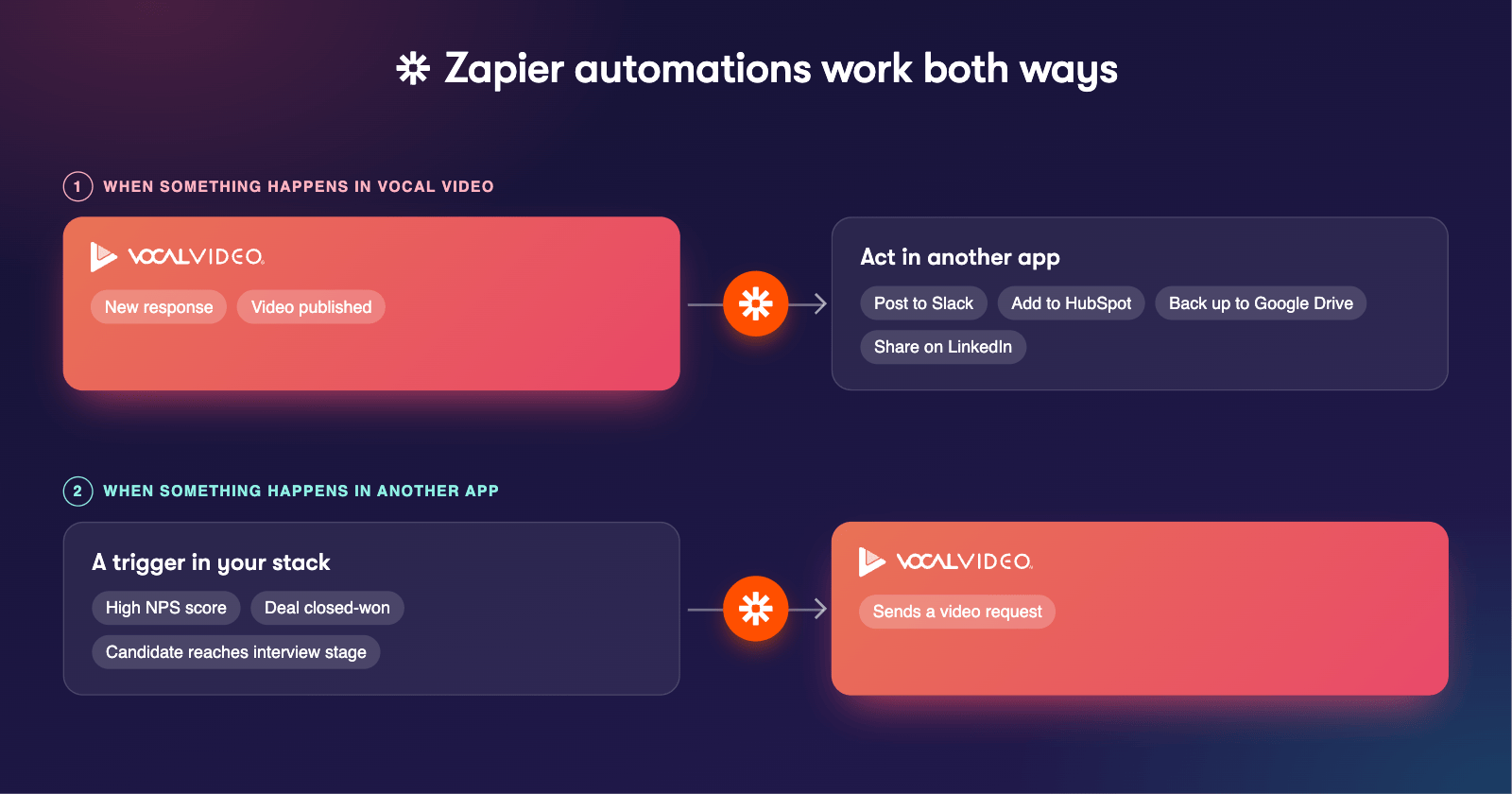
Zapier is the right fit for a task you want done the same way every time, with nobody watching. For example:
- Send a video request automatically when someone gives you a high NPS or customer satisfaction score
- Request an asynchronous video interview as a stage in your hiring process
- Post to a Slack or Teams channel when you get a new response, or when someone on your team publishes a video
- Send follow-up emails through Gmail, Outlook or Mailchimp, or thank-you gifts through Sendoso or GiftBit
- Sync respondent details into Salesforce, HubSpot, Marketo, Klaviyo or another CRM or marketing platform
- Back up new videos to Google Drive, Box or Dropbox
- Share new videos on YouTube, LinkedIn, X and other social platforms
- Send videos and respondent details to Greenhouse, Workday or another ATS when someone finishes a video interview
How Zapier works with Vocal Video
Zapier connects thousands of apps with a point-and-click editor. Each automation (Zapier calls them Zaps) starts with a trigger in Vocal Video, like a new response or a newly published video, and then does something in another app.
Zapier is built into Vocal Video, so you can set up and manage an integration without leaving the app, and you can even create a free Zapier account from inside Vocal Video.

Set up an integration
- Click Integrations in the left menu.
- Choose an app, or browse by category.
- Click Select on the template that matches what you want to do.
- Finish the setup in the Zapier panel that opens, connecting your account for the other app when it asks.
To build something no template covers, click the Zapier card in the directory and start from a blank Zap. You can connect to any of the 6,000+ apps Zapier supports.

Collector integrations
To run an automation only when one particular video collector gets a response, set it up from that collector. Open the collector's Integrations page: it shows only the integrations that run on new responses, and anything you set up there is automatically limited to that collector.

Tutorials: Slack and Google Drive
These step-by-step guides walk through real examples:
- Integrating Vocal Video with Slack
- How to Automatically Upload Published Videos to Google Drive
- How to Automatically Upload Video Responses to Google Drive
Managing your integrations
Your integrations are Zaps in your Zapier account, so you manage them in Zapier. Click Integrations, then Active Integrations, then Open Zapier Dashboard. From there you can review, edit, turn off or delete any of your Zaps, including drafts and inactive ones.
What does it cost?
Zapier integrations work on any paid Vocal Video plan. You'll also need a Zapier account, and for most apps a free one is enough.
For more information see:
- Integrations and Automation: the Complete Guide, for AI assistants, the API and the other ways to connect Vocal Video
- Creating a Custom Integration With Our Subscription API and Webhooks
Still need help? Contact Support at support@vocalvideo.com